30 seconds from PLC fault to WhatsApp fix
A tank pressure controller crosses 85 PSI. The system detects the fault, captures a freeze-frame snapshot (pump speed, temperature, tank level at the exact moment), runs AI diagnosis through MCP tools, and sends a WhatsApp message with root cause and fix steps.
Total time: 30 seconds. No proprietary diagnostic tool. No manual log digging. The same SOVD API that monitors your ROS 2 nodes now monitors your PLC.
The problem: two worlds, two tools
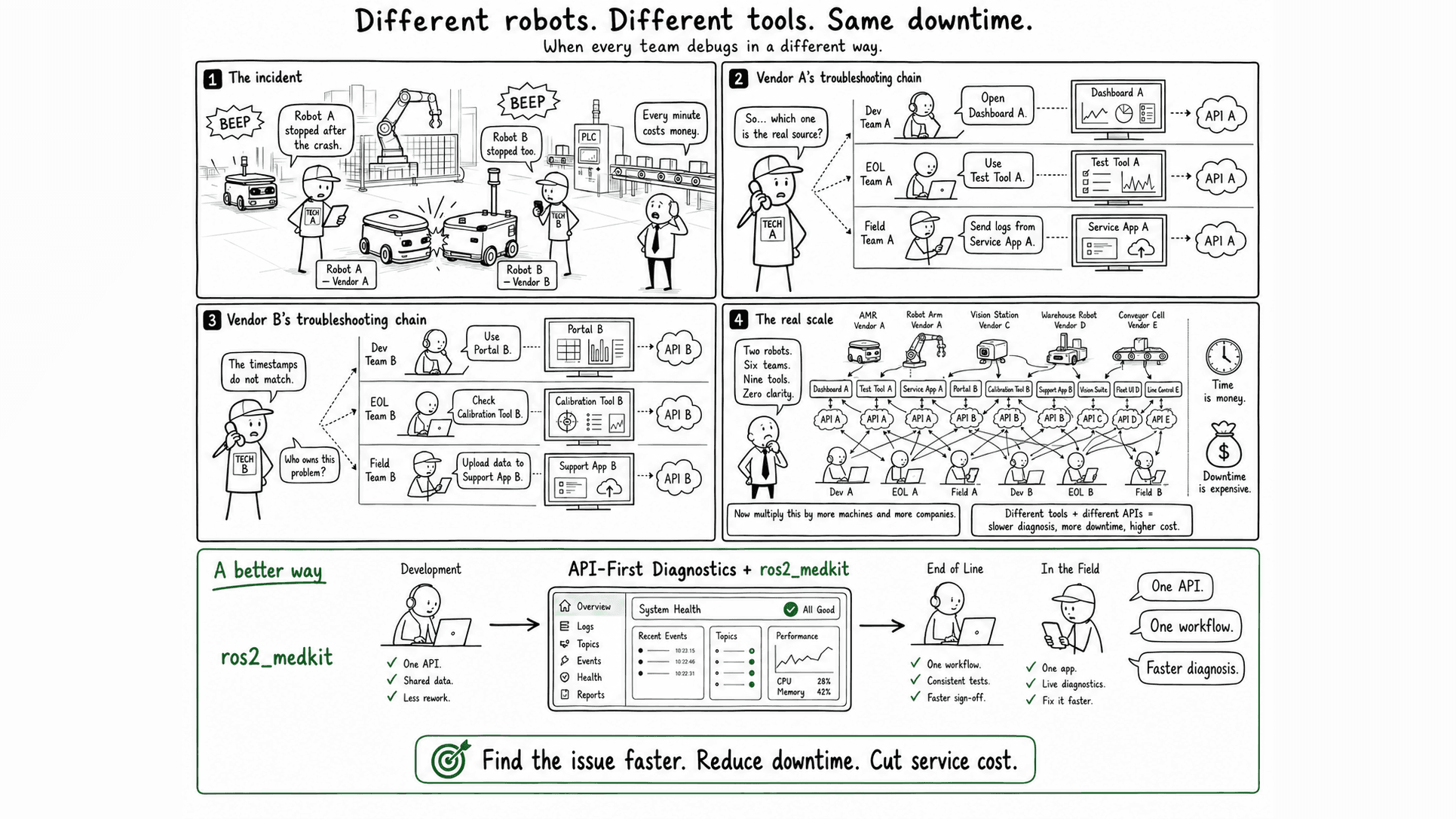
If you run robots and PLCs on the same factory floor, you already know this pain. Your ROS 2 stack has its own monitoring. Your PLC has a vendor-specific engineering tool - TIA Portal, Studio 5000, TwinCAT. When something fails, an operator notices a pressure alarm, opens the proprietary tool, digs through logs, calls maintenance. That is 30 minutes on a good day.
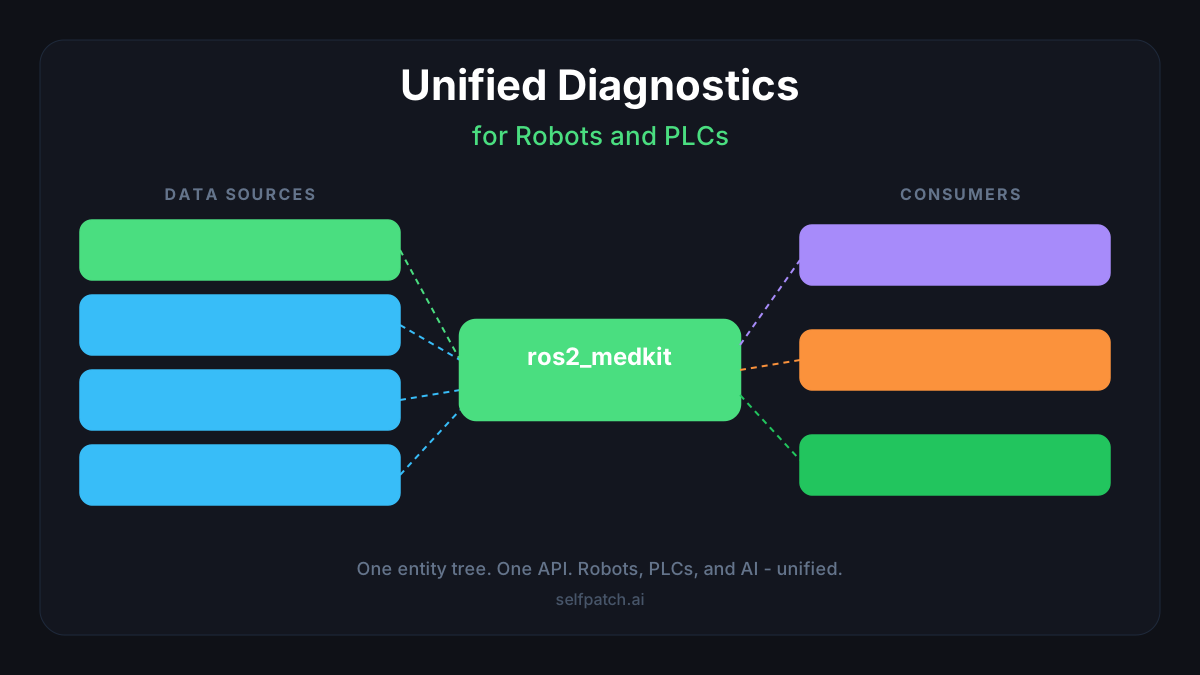
We got tired of debugging robots in one tool and PLCs in another. The question was simple: what if it was all one system?
Architecture: OPC-UA bridge into ros2_medkit
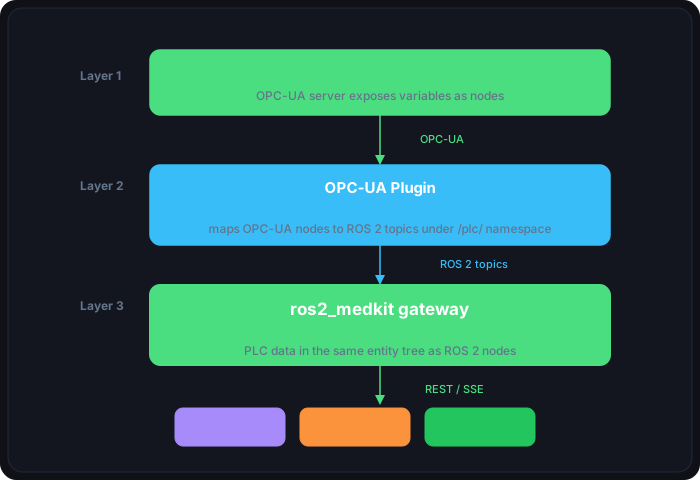
The bridge works in three layers:
- OPC-UA client connects to the PLC runtime and subscribes to tag changes
- ROS 2 publisher maps OPC-UA nodes to ROS 2 topics under a dedicated namespace
- ros2_medkit picks up the topics and exposes them through the standard SOVD REST API
PLC data in the SOVD API
Once the bridge is running, PLC data appears in the same entity tree as your ROS 2 nodes. The API does not distinguish between a lidar driver and a tank pressure controller:
# List all components - ROS 2 nodes and PLC entities side by side
curl http://localhost:8080/api/v1/components | jq '.items[].name'
"lidar_driver"
"navigation_controller"
"plc_tank_system"
"plc_pump_controller"Reading live PLC data through the SOVD data endpoint:
curl http://localhost:8080/api/v1/components/plc_tank_system/data{
"items": [
{ "name": "tank_level", "value": 72.4, "unit": "percent" },
{ "name": "temperature", "value": 48.2, "unit": "celsius" },
{ "name": "pressure", "value": 83.7, "unit": "psi" },
{ "name": "pump_speed", "value": 1450, "unit": "rpm" }
]
}When pressure crosses the 85 PSI threshold, ros2_medkit creates a fault with the full SOVD lifecycle - debounce-based state machine with prefailed > confirmed > healed > cleared transitions, the same one used for ROS 2 node faults:
curl http://localhost:8080/api/v1/components/plc_tank_system/faults{
"items": [
{
"faultId": "f-0042",
"symptom": "Tank pressure exceeded safety threshold",
"severity": "critical",
"status": "confirmed",
"dtcId": "PLC-P001",
"freezeFrame": {
"pressure": 87.3,
"pump_speed": 1580,
"temperature": 52.1,
"tank_level": 94.2
},
"timestamp": "2026-01-14T14:23:07Z"
}
]
}The freeze-frame snapshot captures the exact state at fault detection time. This is critical for diagnosis - by the time someone looks at the dashboard, the readings may have already changed.
Watch the full demo - from PLC fault to WhatsApp fix in 30 seconds:
Optional: AI-assisted diagnosis via MCP
The SOVD REST API is the primary interface - engineers can query faults, read data, and inspect freeze-frames directly through the Web UI or any HTTP client. No AI required.
For teams that want to accelerate triage, ros2_medkit also ships an MCP (Model Context Protocol) adapter. This gives an LLM read-only access to the same diagnostic API. The LLM can correlate faults, check historical patterns, and suggest root causes - but the engineer reviews and decides what to do. Human in the loop, always.
In our demo, the MCP adapter read the fault details, checked historical data, and identified the pattern: pump speed ramping without proportional cooling. The suggested fix went to WhatsApp as a notification - not as an automated action.
Setting it up
Any PLC with an OPC-UA server works - Siemens S7-1500, Beckhoff TwinCAT, Allen-Bradley CompactLogix, OpenPLC. No modification to the PLC program required.
The OPC-UA plugin ships as part of the ros2_medkit monorepo. The fastest way to try it is the Docker demo:
git clone https://github.com/selfpatch/ros2_medkit.git
cd ros2_medkit

# Start OpenPLC + gateway with OPC-UA plugin (Docker)
bash src/ros2_medkit_plugins/ros2_medkit_opcua/docker/scripts/start.sh
This builds two containers - an OpenPLC runtime running a tank pressure simulation and the ros2_medkit gateway with the OPC-UA plugin. Once ready, the gateway is at http://localhost:8080.
For your own PLC, create a node map YAML that maps OPC-UA variables to SOVD entities:
# node_map.yaml
area_id: plc_systems
component_id: my_plc

nodes:
  - node_id: "ns=2;i=1"       # OPC-UA NodeId on your PLC
    entity_id: tank_process
    data_name: tank_level
    unit: mm
    writable: true
    alarm:
      fault_code: PLC_LOW_LEVEL
      severity: WARNING
      threshold: 100.0
      above_threshold: false
Point the gateway at your PLC by setting the endpoint and node map path as environment variables or ROS 2 parameters. The plugin discovers your PLC variables and they appear in the entity tree alongside ROS 2 nodes.
Why holistic diagnostics matter: a real-world example
Consider a pick-and-place robot with a behavior tree orchestrating the task. The system has three layers:
- ROS 2 nodes - navigation, perception, arm control, behavior tree executor
- PLC - conveyor belt, pneumatic gripper, safety interlocks
- Fieldbus devices - IO-Link sensors, EtherCAT servo drives
A gripper failure mid-pick looks different depending on where you look:
| Layer | What it sees | What it reports |
|---|---|---|
| Behavior tree | pick action failed, retry limit exceeded | BT node status: FAILURE |
| ROS 2 arm controller | Grasp force below threshold | DiagnosticStatus: ERROR |
| PLC | Pneumatic pressure drop on valve 3 | OPC-UA alarm |
| IO-Link sensor | Air leak detected on gripper cylinder | IO-Link event |
Four systems, four logs, four tools. The engineer SSHes into the robot, checks ROS 2 logs, then opens the PLC tool, then checks the IO-Link master. An hour later they find the root cause: a worn seal on the gripper cylinder causing a slow air leak.
With unified diagnostics, ros2_medkit shows all four layers in one entity tree. The behavior tree failure, the arm controller error, the PLC pressure drop, and the IO-Link leak event all appear as related faults with correlated timestamps. The AI sees the pattern in seconds: air leak on cylinder -> pressure drop -> grasp force insufficient -> BT failure.
This is exactly how automotive diagnostics work. When your car's engine light comes on, the mechanic does not open separate tools for the ECU, the transmission controller, and the ABS module. One scan tool, one DTC list, one view. SOVD brings the same approach to robotics and industrial systems - regardless of protocol.
What this means for industrial automation
The OPC-UA bridge is not a proof of concept. It is the same pattern we use for any non-ROS system that needs unified diagnostics.
Two things to take away:
-
One API for everything. SOVD does not care if the data comes from a ROS 2 node, a PLC, or custom firmware. The REST interface is identical. Your monitoring tools, dashboards, and AI agents work across all of them without modification.
-
Freeze-frames beat continuous telemetry for diagnosis. Traditional observability platforms collect everything, all the time - then you search through hours of metrics to find the 3 seconds that matter. Freeze-frames flip this: ros2_medkit captures a snapshot of all relevant sensor values at the exact moment a fault triggers. Instead of "pressure was high sometime today," you get "pressure was 87.3 PSI with pump at 1580 RPM and cooling at 52.1C at 14:23:07 UTC." That precision is what makes diagnosis actionable - for humans and AI alike.
The OPC-UA plugin and the tank pressure demo are in the ros2_medkit repository under src/ros2_medkit_plugins/ros2_medkit_opcua/.
What this means for operations
When robots and PLCs report faults through separate tools, every incident requires an engineer who knows both systems. With unified diagnostics, a single API covers everything - the same engineer (or AI assistant) triages across all equipment. Fewer escalations, faster resolution, less context switching per incident.
Build unified diagnostics for your factory
ros2_medkit's open-source gateway gives you REST API access to every ROS 2 entity. The OPC-UA plugin extends the same interface to PLCs. If you are running mixed environments and need help with integration - let's talk.
If you are running an AMR fleet with VDA 5050, see how the VDA 5050 + SOVD bridge connects fleet coordination with deep diagnostics. For a full overview of ros2_medkit's production features, read the 0.4.0 release notes.